Easily export your email as a HTMl package complete with images supplied locally or hosted for you.
Introduction:
Sometimes you may need to export your emails as simple HTML files. This is useful when you don't have a ESP/MAP connector setup and wish to Copy and Paste the HTML, or you need to supply the HTML to a third-party provider for partnership marketing.
Exporting an Email as HTML
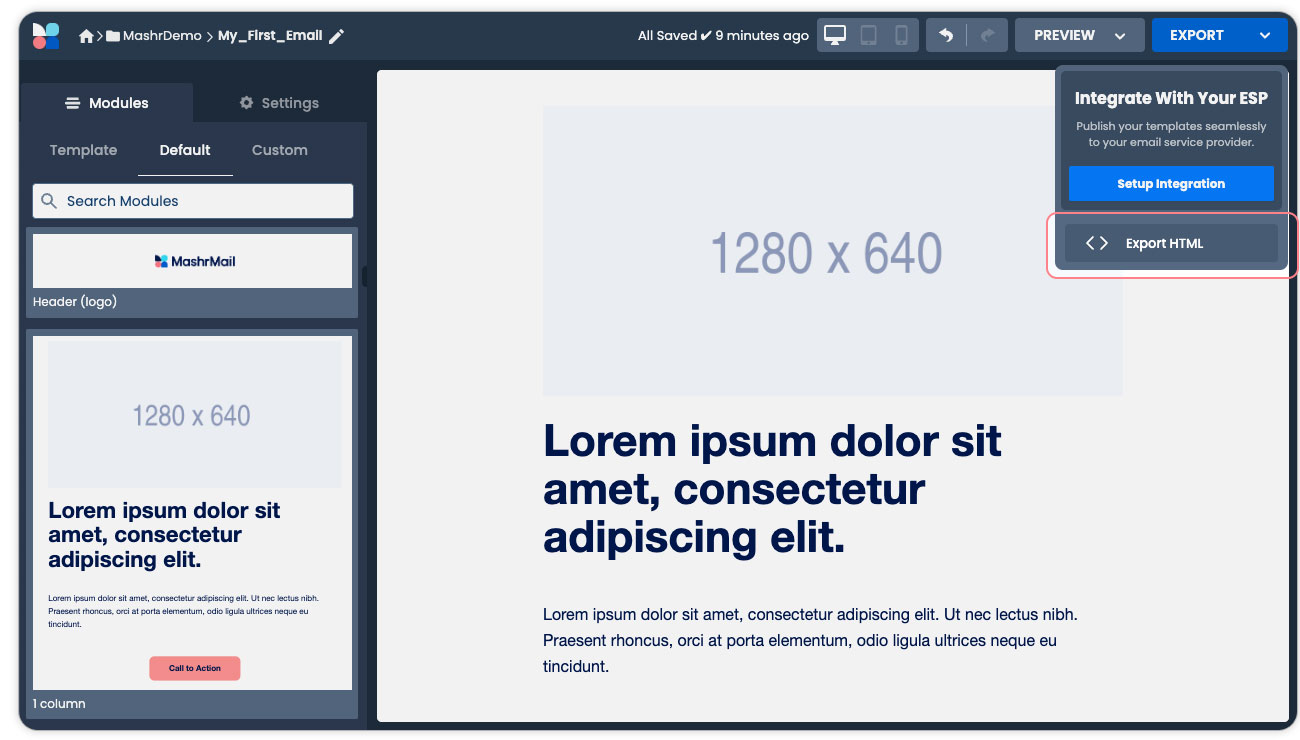
When in the email builder select the Export button at the top right-hand corner of your screen and select the ‘Export HTML option’.
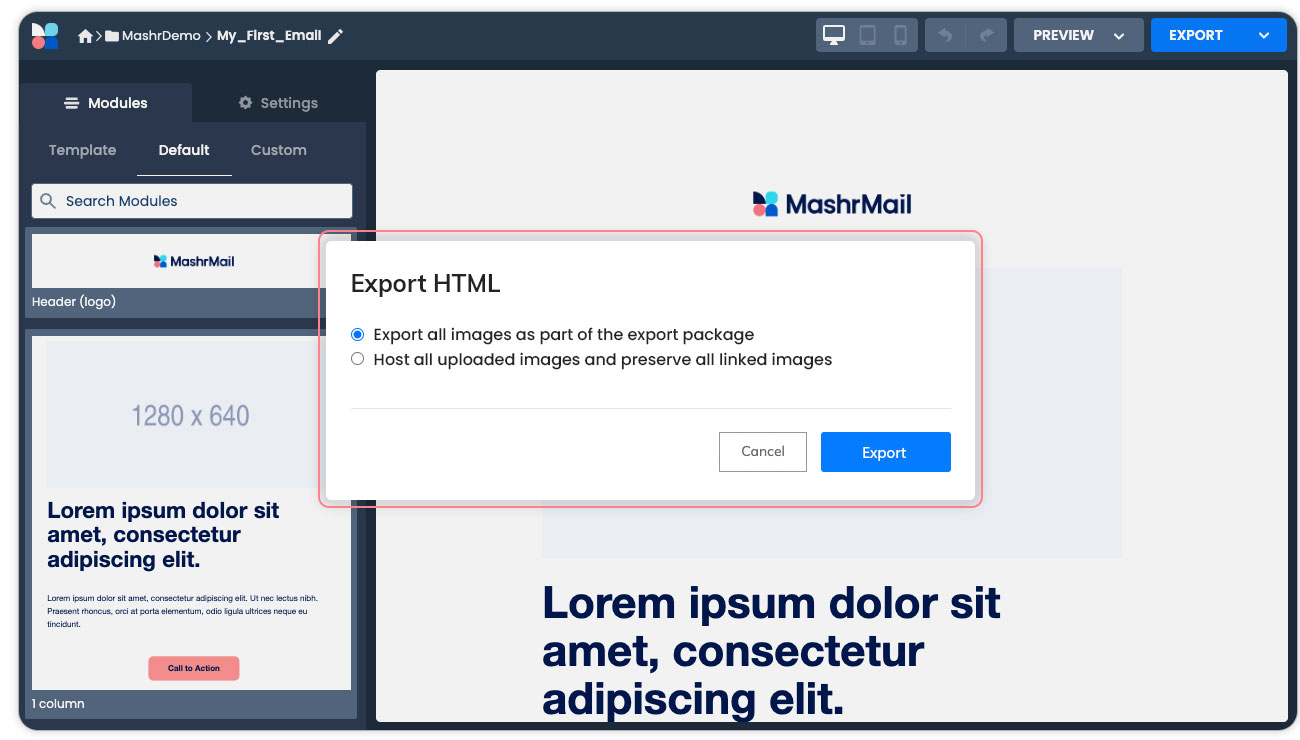
You will then be prompted with the export dialog with the below options:
Export all images as part of the export package. This is the default selection and will produce a package with the HTML file and an images folder with all images saved. In this option the HTML code of the email with be modified to reference the downloaded images. This is to allow you to supply the complete package to a Third-party or to give you the flexibility to host the images yourself in another location and then edit the HTML according.
Host all uploaded images and leave all linked images hosted externally. COMING SOON This option will automatically host the images you have uploaded to MashrMail on our own content dem and is managed separately to your MashrMail instance. Any files you linked to externally using the ‘URL’ option while setting your Image component properties in the email builder will not be hosted and remain hosted externally.
This feature is currently being worked on an will be released in a future product update.
JavaScript errors detected
Please note, these errors can depend on your browser setup.
If this problem persists, please contact our support.